> For the complete documentation index, see [llms.txt](https://docs.letsmetrix.com/llms.txt). Markdown versions of documentation pages are available by appending `.md` to page URLs; this page is available as [Markdown](https://docs.letsmetrix.com/get-started/connect-ga4.md).
# Connect GA4
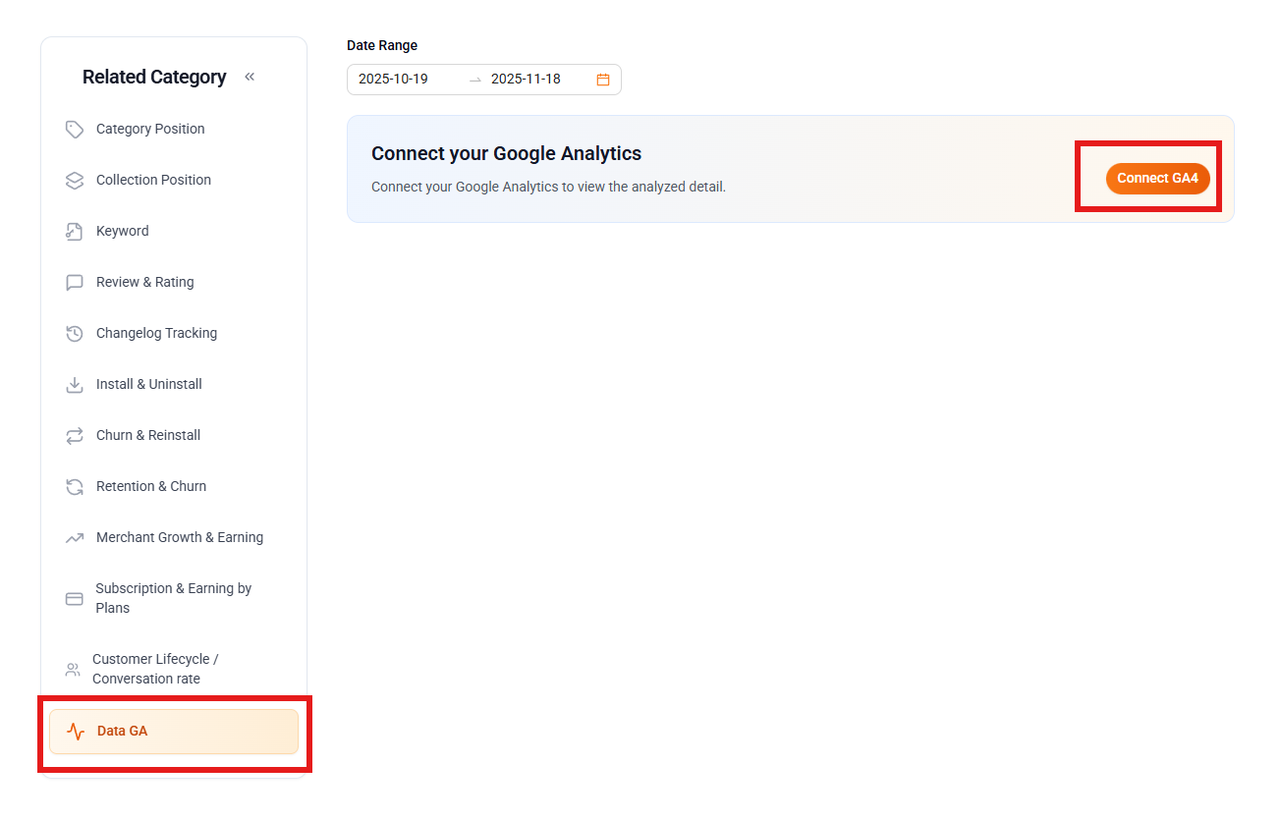
**Step 1**: From the main menu on the left, navigate to the **Data GA** section. You will see a prompt to connect your Google Analytics. Click **Connect GA4** button to begin.
**Step 2**: You will be prompted to choose an email account to continue with Letsmetrix.
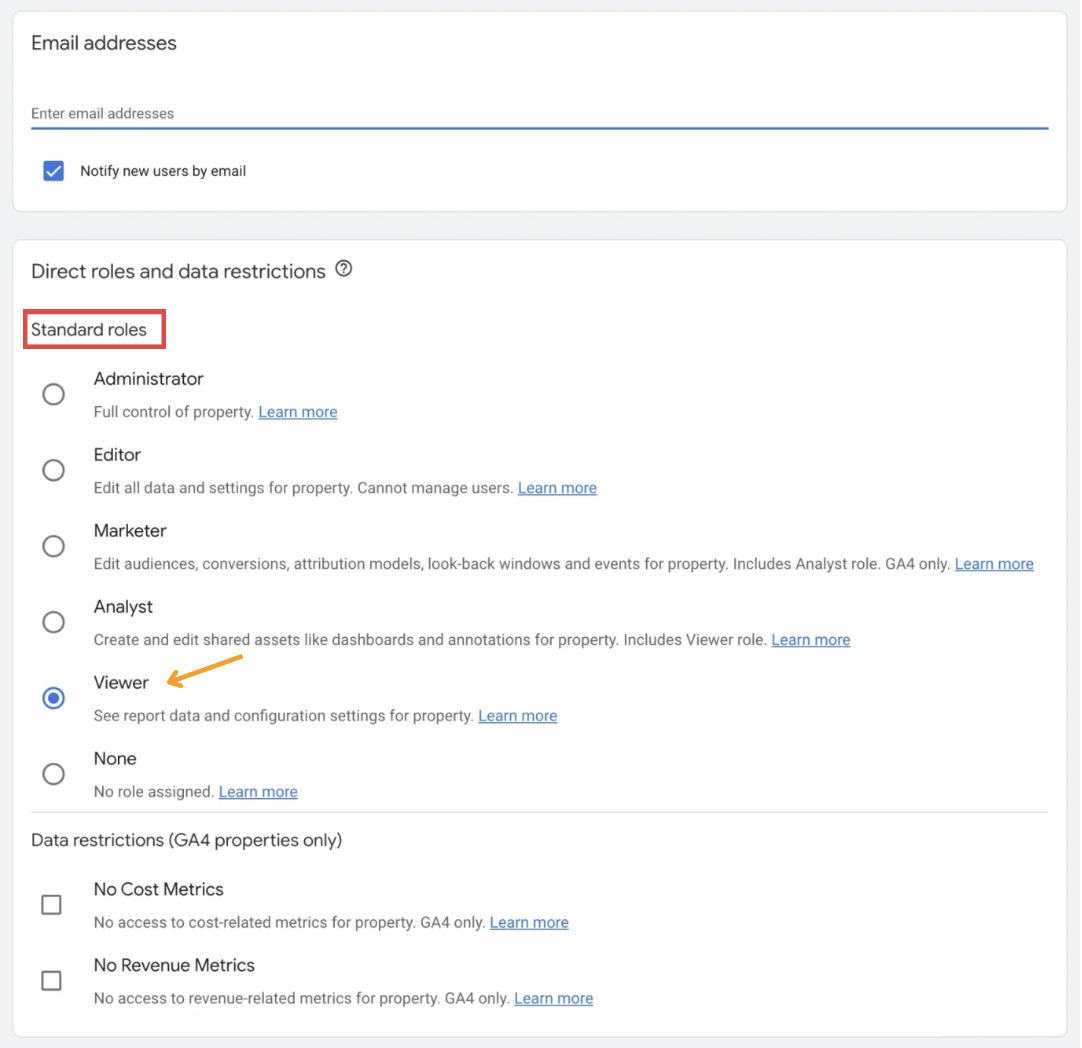
For a successful connection, the Google account you are connecting must have at least "Viewer" access to the GA4 property in Google Analytics.
In Google Analytics, go to Admin → Account (or Property) Access Management → Add the Google account email → Choose a standard role (e.g., "Viewer").
Once connected, your GA4 data will begin to sync with Letsmetrix.