> For the complete documentation index, see [llms.txt](https://docs.letsmetrix.com/llms.txt). Markdown versions of documentation pages are available by appending `.md` to page URLs; this page is available as [Markdown](https://docs.letsmetrix.com/insights-and-metrics/changelog-tracking.md).
# Changelog Tracking
The "Changelog Tracking" section is your competitive intelligence feed, recording all historical modifications made to any competitor's app listing on Shopify.
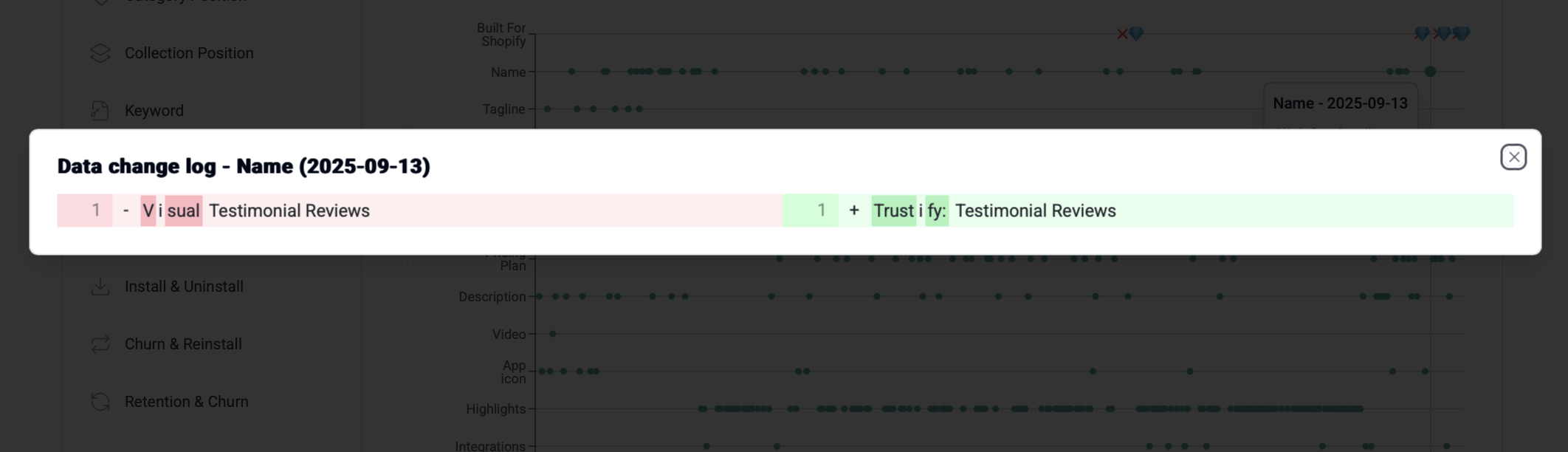
This timeline chart provides a visual overview of your competitors' ASO strategies over time. By analyzing when and what they change, from pricing and screenshots to their description, you can reverse-engineer their tactics and identify market trends.
### Understand the Changelog
The chart displays a timeline of changes for various listing elements, where each dot represents a detected modification. Simply click on a dot to view the specific details of what was changed.
### How Change Log Tracking can benefit you
Monitoring your competitors' listing changes provides a powerful strategic advantage, allowing you to move from guessing to knowing.
* **Uncover Competitor Strategies:** When a competitor's ranking suddenly improves, the changelog helps you pinpoint exactly what they changed. By comparing their listing updates (e.g., new keywords, updated screenshots, pricing changes) with their performance, you can break down their ASO tactics and understand what's working in the market right now.
* **Identify Market Trends:** By tracking several top-performing apps in your niche, you can identify emerging trends. These patterns give you valuable insights to guide your own product decisions and marketing strategy.
* **React Faster to Market Shifts:** Get a critical speed advantage by being the first to know when a key competitor launches a new feature, adjusts their pricing, or changes their core messaging. This allows you to quickly assess the impact on your own business and decide if you need to respond, ensuring you never get blindsided.
*Learn more:* [*How can I track my competitor's app listing changes?*](https://app.gitbook.com/o/dEzP9GcVLf8stIIwl21t/s/8KaEyTr3mMTLCU7QQyAU/~/changes/6/how-can-i-track-my-competitors-app-listing-changes-ranking-reviews-and-ratings)