> For the complete documentation index, see [llms.txt](https://docs.letsmetrix.com/llms.txt). Markdown versions of documentation pages are available by appending `.md` to page URLs; this page is available as [Markdown](https://docs.letsmetrix.com/insights-and-metrics/merchant-growth-and-earning.md).
# Merchant Growth and Earning
This dashboard provides a comprehensive view of an app's core business metrics, tracking both user base growth and detailed financial performance.
### How we get these data
The data is obtained directly from your connected Shopify Partner account, ensuring the information provided is accurate and up-to-date.
### Understand the charts
#### **1. Merchant Growth**
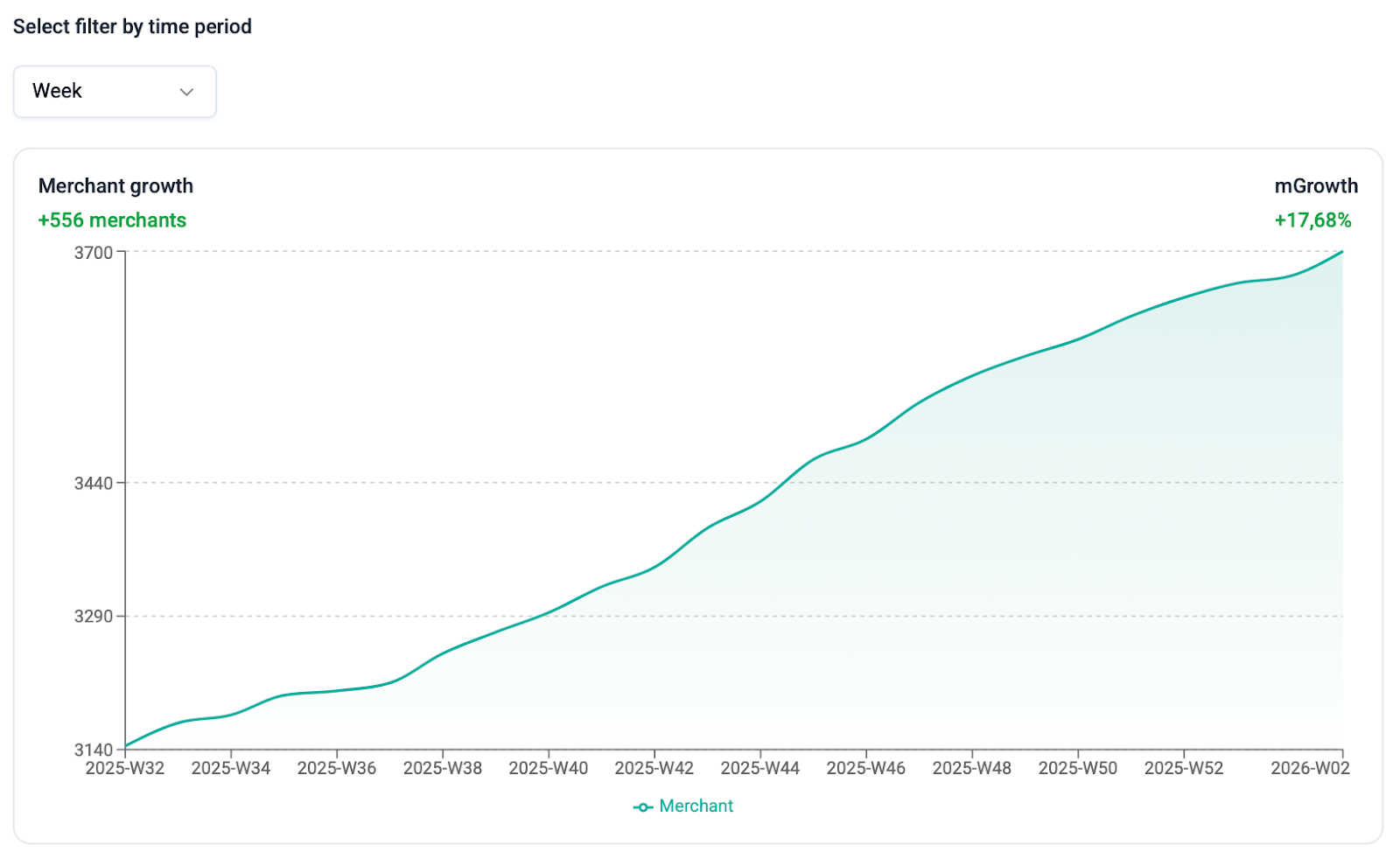
The line chart tracks the total number of active stores with your app installed. This number includes any stores on a paid or trial plan, staff stores, and development stores, but excludes stores that are canceled or frozen.
The summary panels show the net change in merchants and the percentage growth (**mGrowth**) for the selected time period.
#### 2. Earnings
This section provides a detailed breakdown of your app's financial performance.
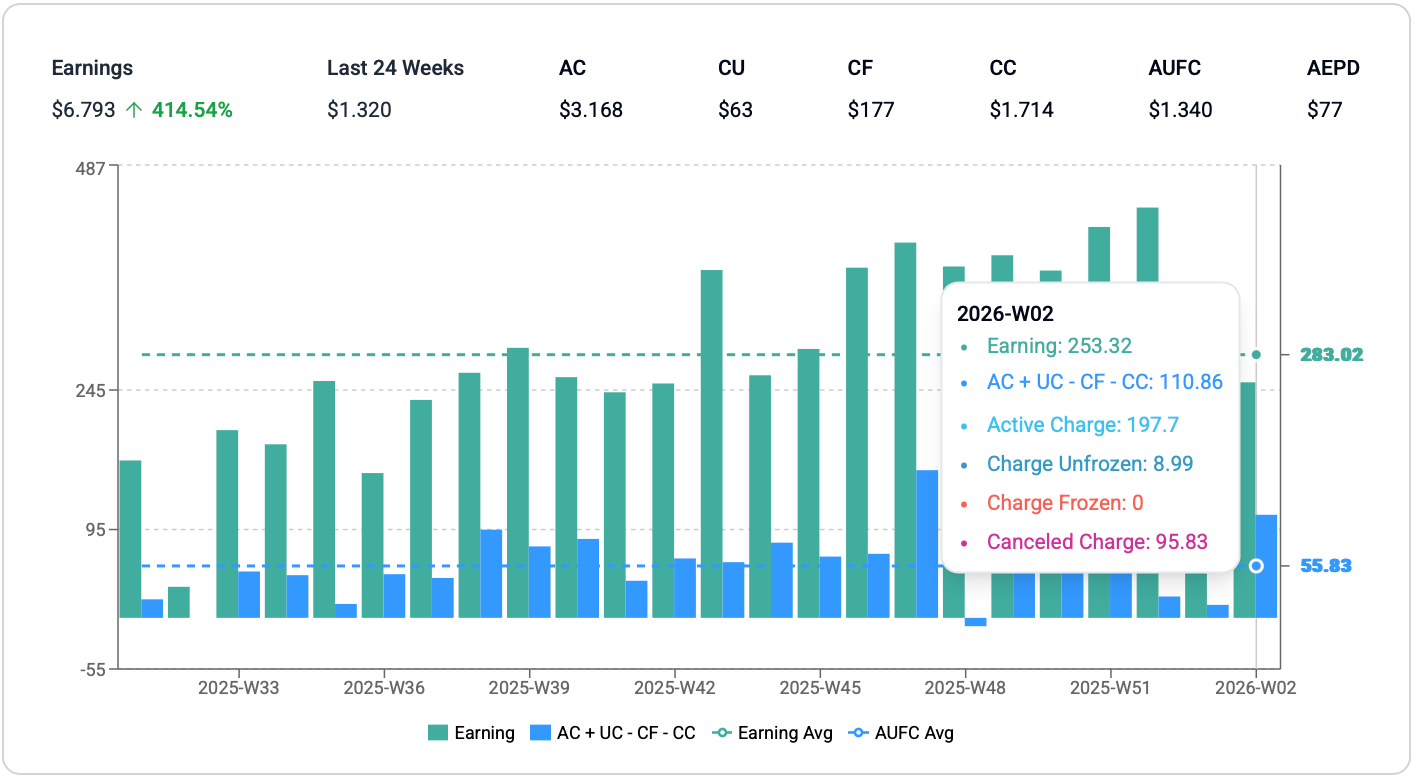
The bar chart visualizes your daily or weekly earnings, which are calculated based on the following components:
| **Metric** | **Description** |
| ---------- | -------------------------------------------------------------------------------------------------------------------------------------------------------------------------------------------------------------------- |
| Earnings | The earnings amount refers to how much an app developer has been paid. It includes both paid-out amounts and pending payments, and it reflects the deduction of Shopify's revenue share and any application credits. |
| AC | (Active Charge) The total value of new, active subscriptions or charges within the timeframe. |
| CU | (Charge Unfrozen) The value of payments that were previously frozen and have now been resumed. |
| CF | (Charge Frozen) The value of payments that have been temporarily frozen by Shopify. |
| CC | (Canceled Charge) The total value of subscriptions or charges that have been terminated or canceled. |
| AUFC | (Active + Unfrozen - Frozen - Canceled) A calculated metric that represents the net value of charge activities. It provides a quick snapshot of your revenue momentum before Shopify's fees. |
| AEPD | (Avg. Earning Per Day) The average daily earnings calculated over the selected time period. This metric helps to smooth out fluctuations and provides a stable benchmark of your daily financial performance. |
### How Merchant Growth & Earning can benefit you
* **Track User Base Growth:** The user growth trend is a key indicator of your app's market adoption and long-term health. It helps you measure the net result of all your acquisition and retention efforts over time, providing a clear picture of your growing footprint in the market.
* **Analyze Financial Performance:** By tracking earnings and charge activities, you gain a comprehensive view of your app’s revenue trends, key drivers, financial momentum, and patterns for forecasting and planning.