> For the complete documentation index, see [llms.txt](https://docs.letsmetrix.com/llms.txt). Markdown versions of documentation pages are available by appending `.md` to page URLs; this page is available as [Markdown](https://docs.letsmetrix.com/shopify-metrics/fees.md).
# Fees
The “Fees” dashboard provides a detailed breakdown of the costs deducted from your gross earnings, ensuring you have a clear understanding of your actual net profit.
### How we get these data
Fees data is gathered from Transaction records to support precise financial tracking and transparent business management.
### Understand the dashboard
Fee is the total costs that the Developer must pay or be deducted before receiving money into the bank account. Fee structure includes:
* **Revenue Share:** Revenue share paid to Shopify.
* **Operational Fees:** Transaction processing fees or registration fees (if any).
* **Taxes:** Taxes applied according to local laws (VAT/GST) that Shopify collects on behalf or the Developer must pay.
**Shopify Fee Policy (Latest Policy)**
According to the latest regulations (applied to Shopify App Store):
* **0% Revenue Share:** For the first $1,000,000 USD revenue earned each calendar year (annually).
* **15% Revenue Share:** Applied to revenue exceeding $1,000,000 in that year.
* **Registration Fee:** $19 USD (paid once when creating a Partner account, usually not counted in monthly operational metrics).
Where Revenue Share is calculated cumulatively by year (Year-to-date):
* If Total Revenue (YTD) <= $1,000,000: Revenue Share = 0.
* If Total Revenue (YTD) > $1,000,000: Revenue Share = 15% \* (Revenue of this month). Note: This logic needs to reset to 0 on January 01 every year.
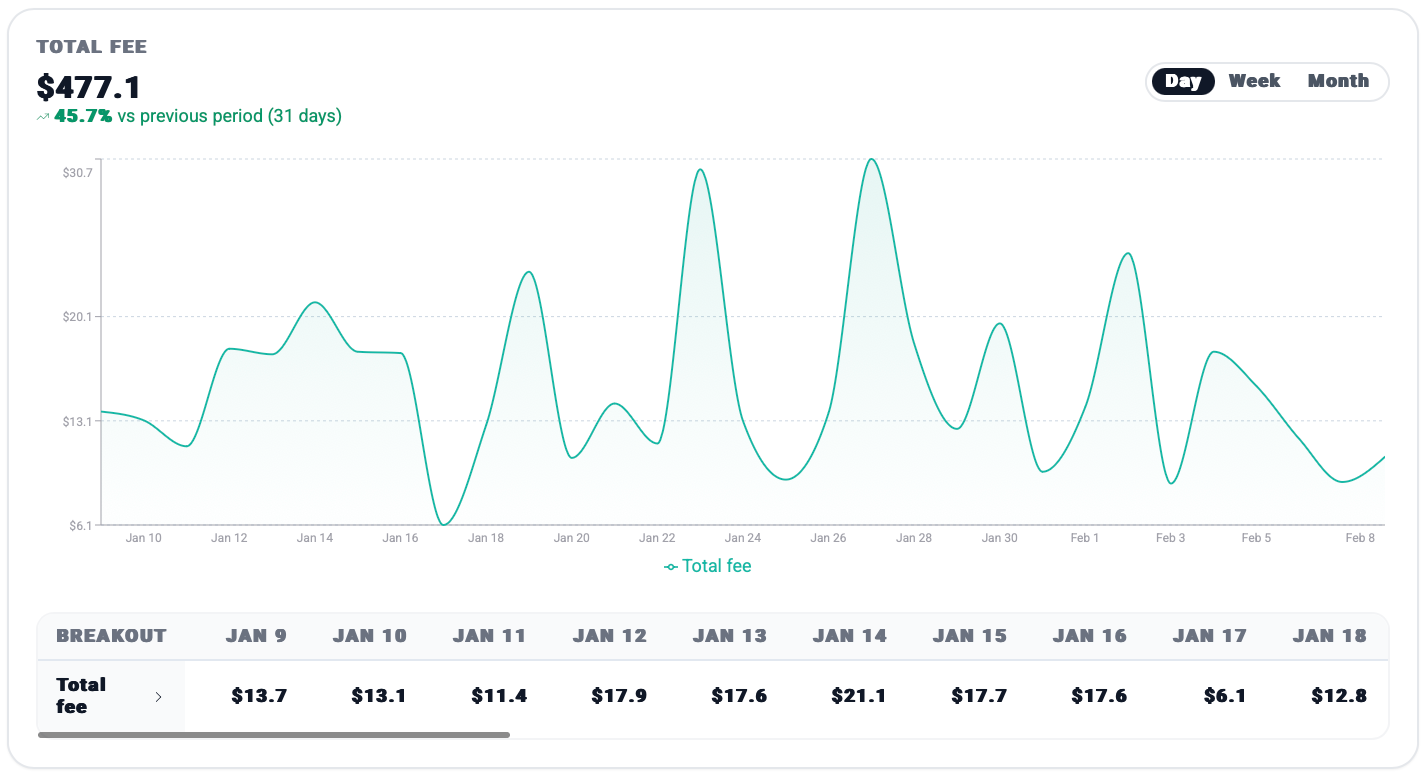
The “Total Fee” chart visualizes the daily fluctuations of your total fees over the selected time period (Day, Week, Month), with a percentage comparison against the previous 31-day period, helping you monitor cost trends relative to revenue.
The breakout table provides a granular daily view of the total fees incurred, allowing for precise auditing of daily expenses
The panels below offer a quick historical comparison of your total fees against your performance from 1, 3, 6, 12, and 24 months ago to track cost evolution as your business scales.
### How Fees data can benefit you
* **Financial Planning:** Understanding the fee structure is essential for forecasting your **Net Revenue** accurately, especially when the App is about to hit the $1 million threshold (when the profit margin will drop by 15%).