> For the complete documentation index, see [llms.txt](https://docs.letsmetrix.com/llms.txt). Markdown versions of documentation pages are available by appending `.md` to page URLs; this page is available as [Markdown](https://docs.letsmetrix.com/shopify-metrics/revenue.md).
# Revenue
The “Revenue” dashboard provides a comprehensive view of the income generated by your application, allowing you to track both total billings from merchants and your actual earnings.
### How we get these data
Revenue data is gathered from Shopify Partner Dashboard and Transactions to support precise financial tracking and decision-making.
### Understand the dashboard
Revenue is the amount recorded from selling the application. Divided into 2 types:
* **Gross Revenue:** Total amount users have paid (Billings) before deducting any fees.
* **Net Revenue:** Actual amount received by the Developer.
**Calculation Logic**
* Gross Revenue = Total value of successful - Transactions.
* Net Revenue = Gross Revenue - Fee.
#### 1. Revenue (Gross)
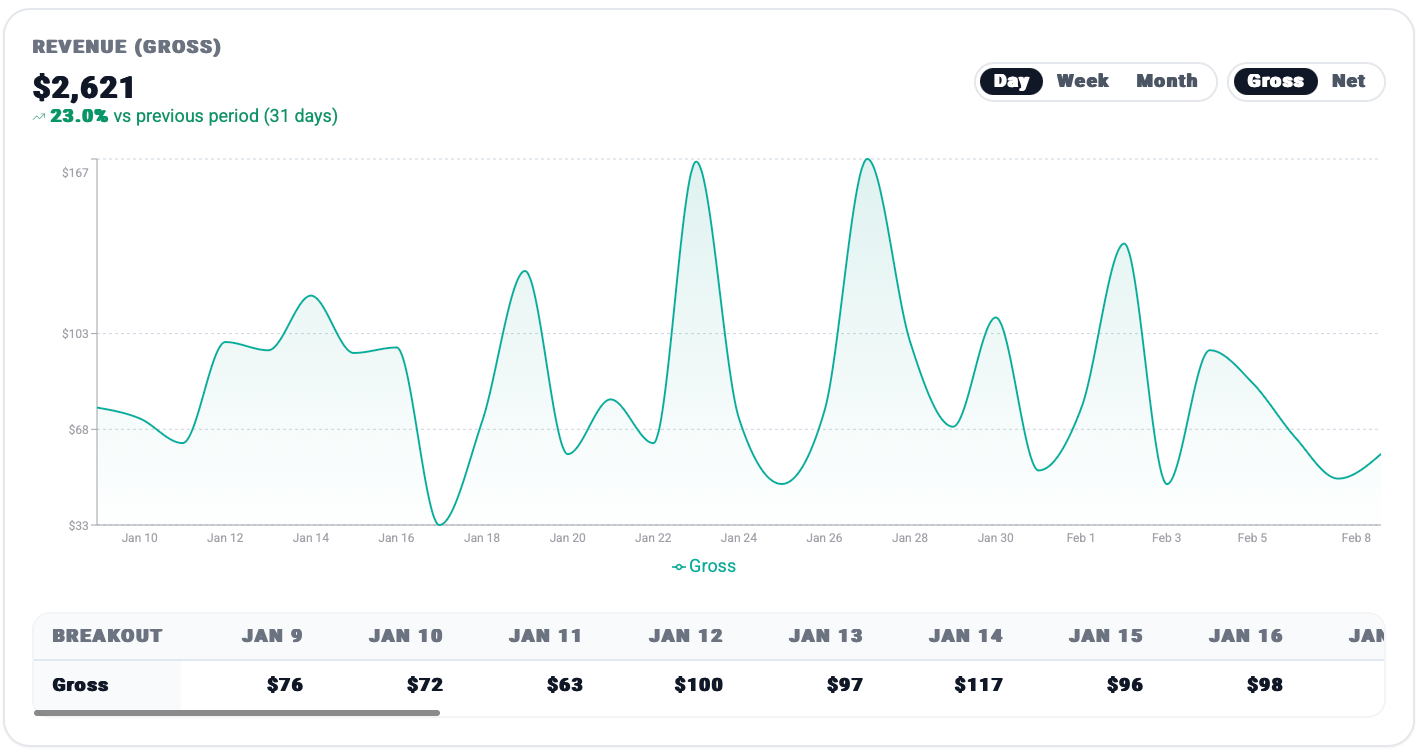
The line chart visualizes your revenue trends over time, with a percentage comparison against the previous 31-day period. You can toggle between **Gross** and **Net** views, and adjust the granularity by Day, Week, or Month.
The breakout table provides a daily record of your revenue, helping you identify specific days of high or low financial performance.
The panels below offer a quick historical comparison of your current revenue against previous months and years to track the growth trajectory of your business.
#### 2. Revenue Customers
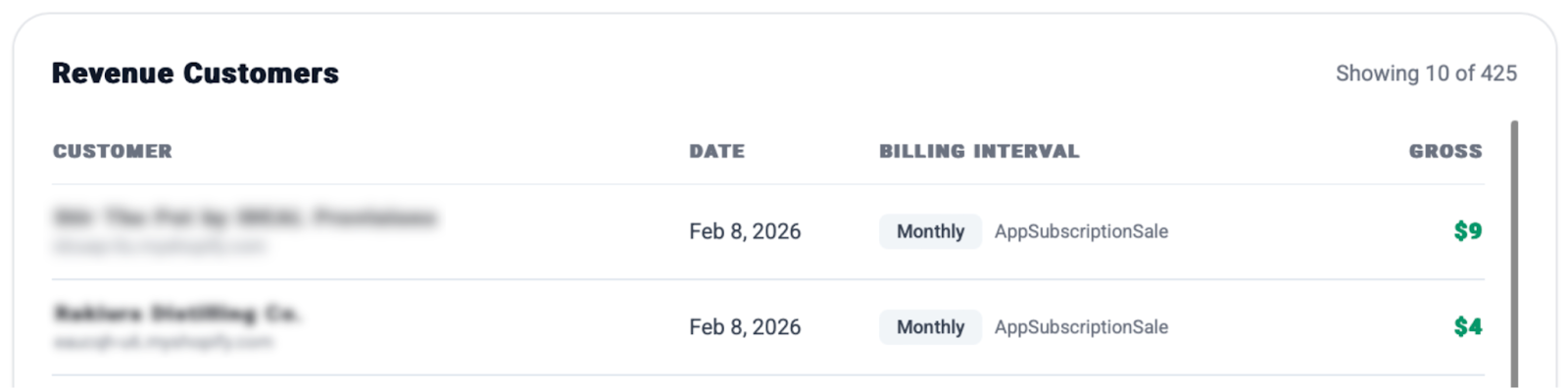
This table displays a list of recent transactions, including the shop name, the date of payment, the billing interval (e.g., Monthly), and the specific amount contributed to your revenue.
### How Revenue data can benefit you
* **Sales Volume Assessment:** Monitoring Gross Revenue is essential for assessing your overall sales volume and tracking your progress toward Shopify’s $1,000,000 annual threshold.
* **Operational Management:** Net Revenue represents your actual cash flow ("Cash in bank"). It is the primary figure used to calculate profit and manage business operations such as paying salaries and server costs.