> For the complete documentation index, see [llms.txt](https://docs.letsmetrix.com/llms.txt). Markdown versions of documentation pages are available by appending `.md` to page URLs; this page is available as [Markdown](https://docs.letsmetrix.com/shopify-metrics/upgrades-and-downgrades.md).
# Upgrades & Downgrades
The “Upgrades & Downgrades” dashboard tracks the internal movements of your paying customer base across different plan tiers, providing insight into user sentiment and plan value.
### How we get these data
Upgrades & Downgrades data is gathered from Shopify API App Events to support product optimization and revenue growth strategies.
### Understand the dashboard
A metric tracking customer movement between paid plans (Paid Plans):
* **Upgrade:** User switches from a lower paid plan to a higher paid plan (Increases MRR).
* **Downgrade:** User switches from a higher paid plan to a lower paid plan (Decreases MRR).
**Note:** Switching from "Paid" to "Free" is counted in "Churned Subscription", not counted in Downgrade.
#### 1. Upgrades & Downgrades
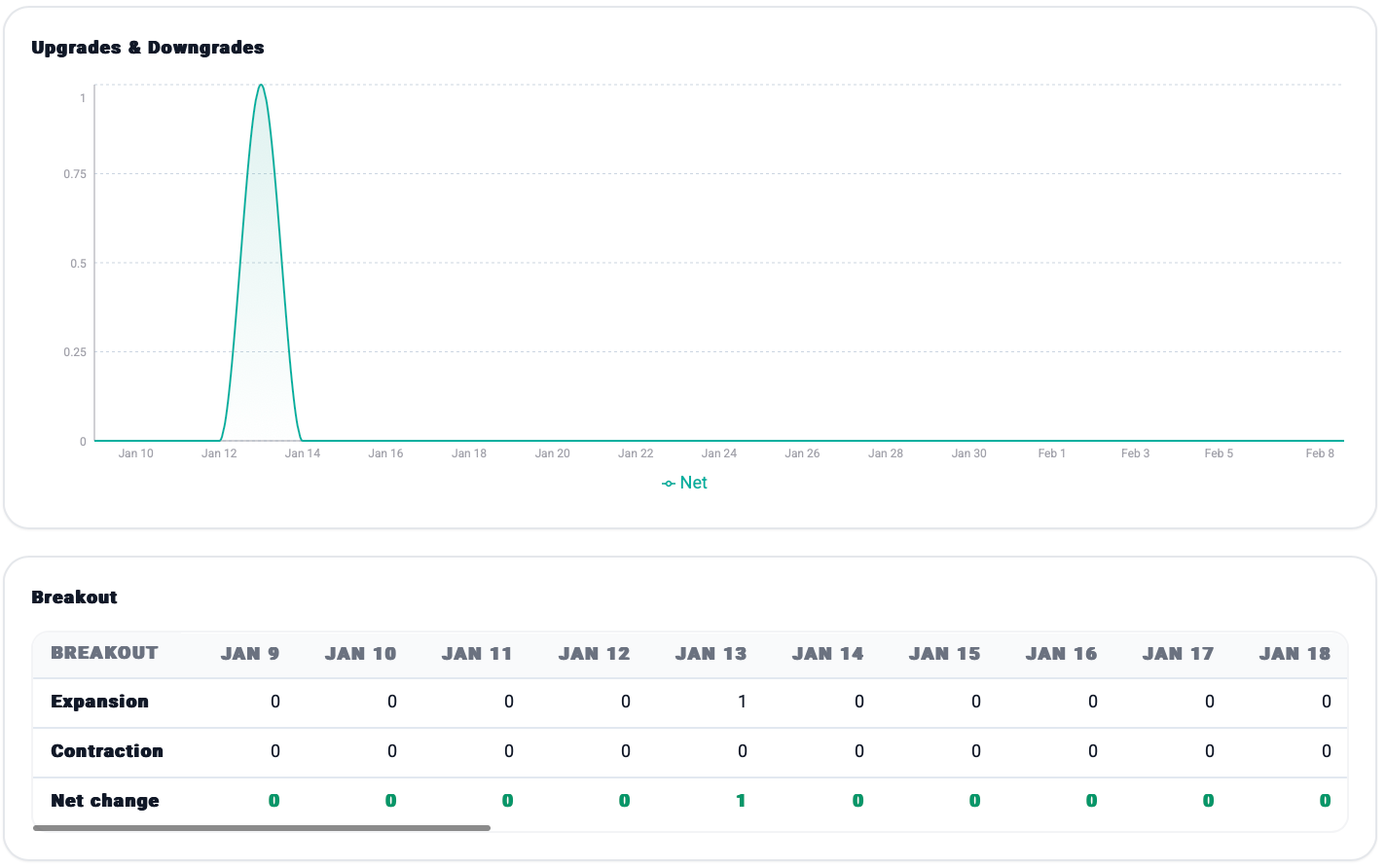
The line chart visualizes the net movement trend over your selected time period.
The breakout table provides a daily breakdown of these movements, categorizing them into **Expansion** (Upgrades), **Contraction** (Downgrades), and the resulting **Net change**.
The panels below offer a quick historical comparison of your current net changes against benchmarks from 1, 3, 6, 12, and 24 months ago.
#### 2. Monthly Growth
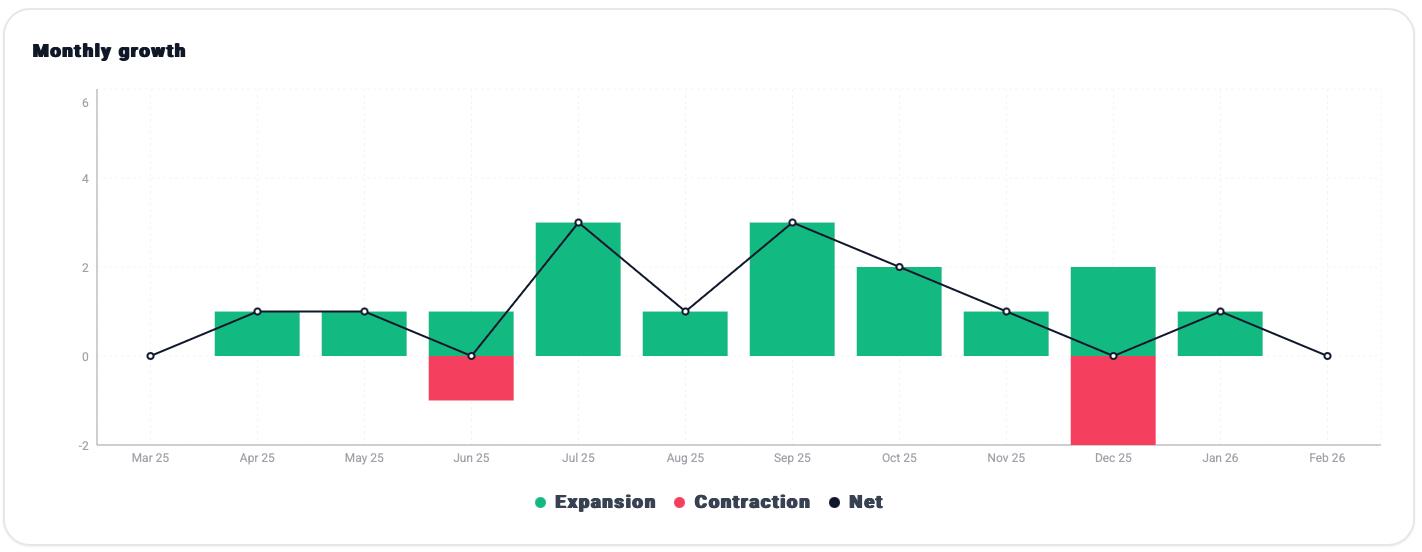
This bar chart displays the monthly performance of plan movements, visually comparing **Expansion** against **Contraction**, with a black line representing the **Net** result for each month.
**How Upgrades & Downgrades data can benefit you**
* **Measuring Expansion Revenue:** Upgrades are a strong indicator that users perceive increasing value from your application and are willing to pay more for advanced features.
* **Warning for Pricing Value:** Downgrades serve as a warning that users may feel a premium package is not worth its current price, although they still find enough value to keep the app rather than uninstalling it entirely.