> For the complete documentation index, see [llms.txt](https://docs.letsmetrix.com/llms.txt). Markdown versions of documentation pages are available by appending `.md` to page URLs; this page is available as [Markdown](https://docs.letsmetrix.com/app-insights/review-dashboard.md).
# Review Dashboard
The “Review Dashboard” offers a high-level overview of review activity across the Shopify App Store, helping you analyze user sentiment trends, identify active app categories, and understand feedback.
### Understand the Review Dashboard
This dashboard is composed of several charts and tables, each offering a unique perspective on app review data.
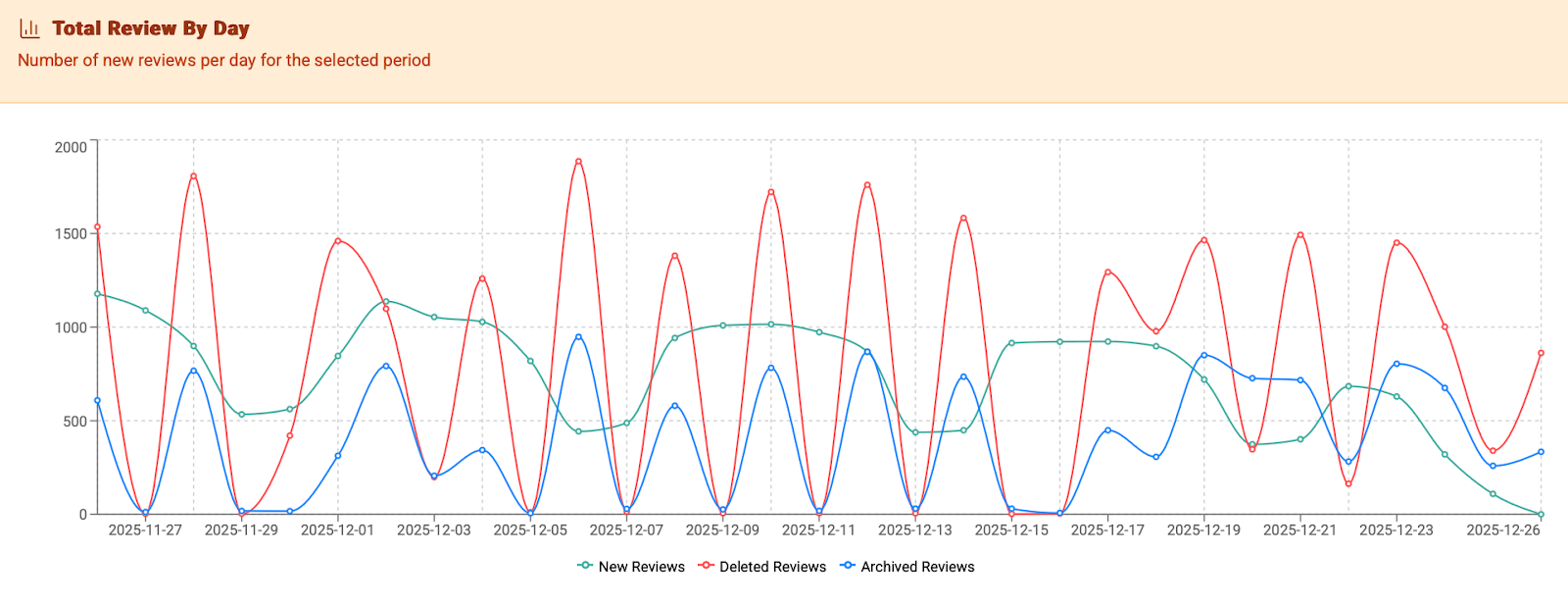
#### 1. Total Review By Day
This line chart shows daily counts of new, deleted, and archived reviews across all Shopify apps, helping you track overall review activity and momentum over time.
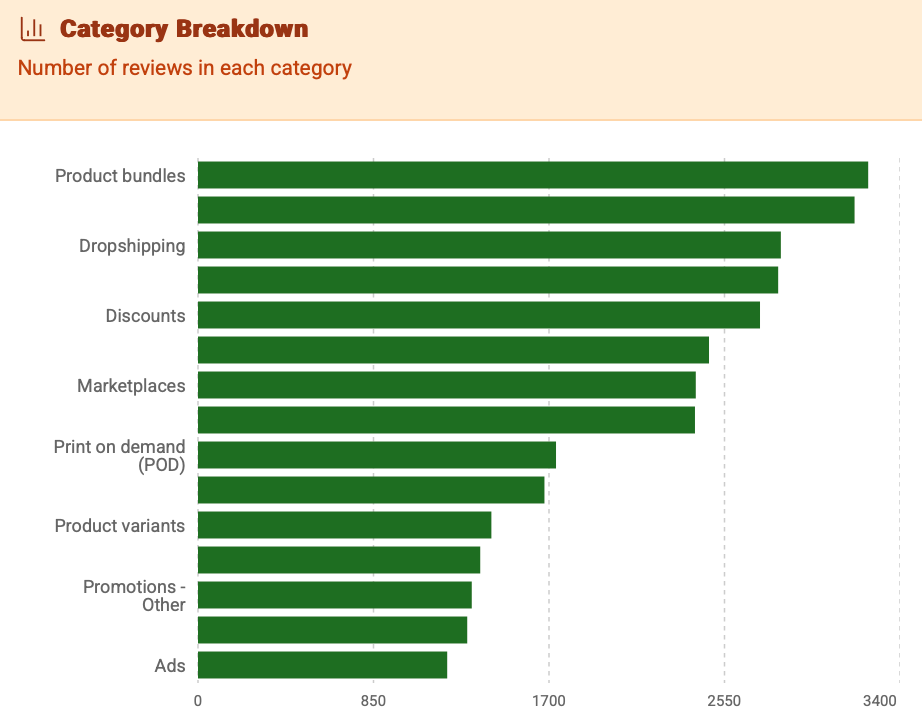
#### 2. Category Breakdown
This bar chart displays total review counts by app category. Use this to identify which categories are currently receiving the most user feedback and engagement.
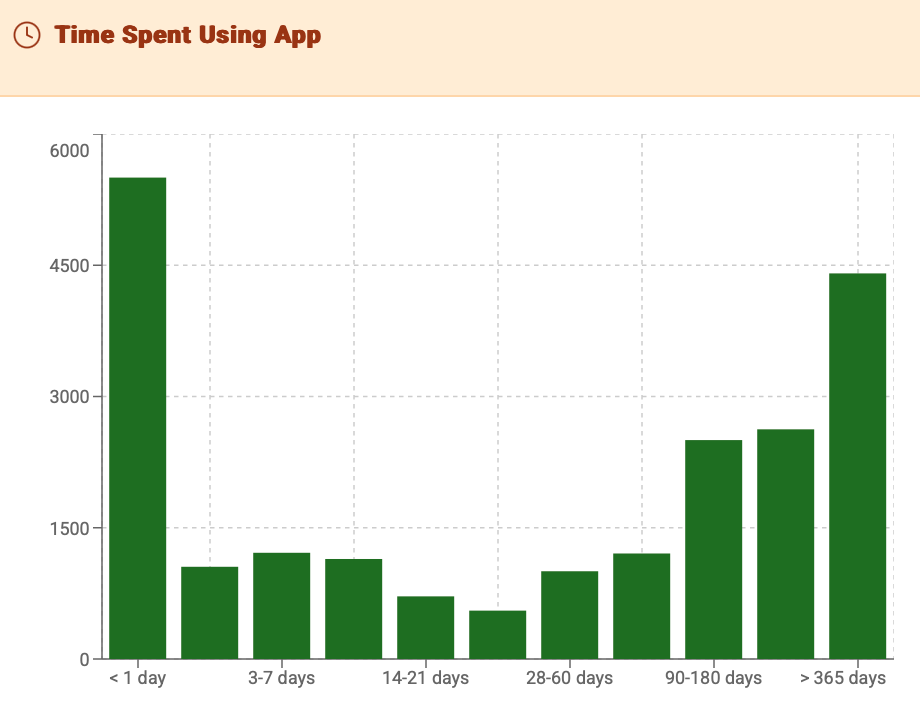
#### 3. Time Spent Using App
This bar chart breaks down all reviews based on how long the user had the app installed before leaving a review. It helps you understand the user journey, showing whether feedback is typically given immediately after installation or after a longer period of use.
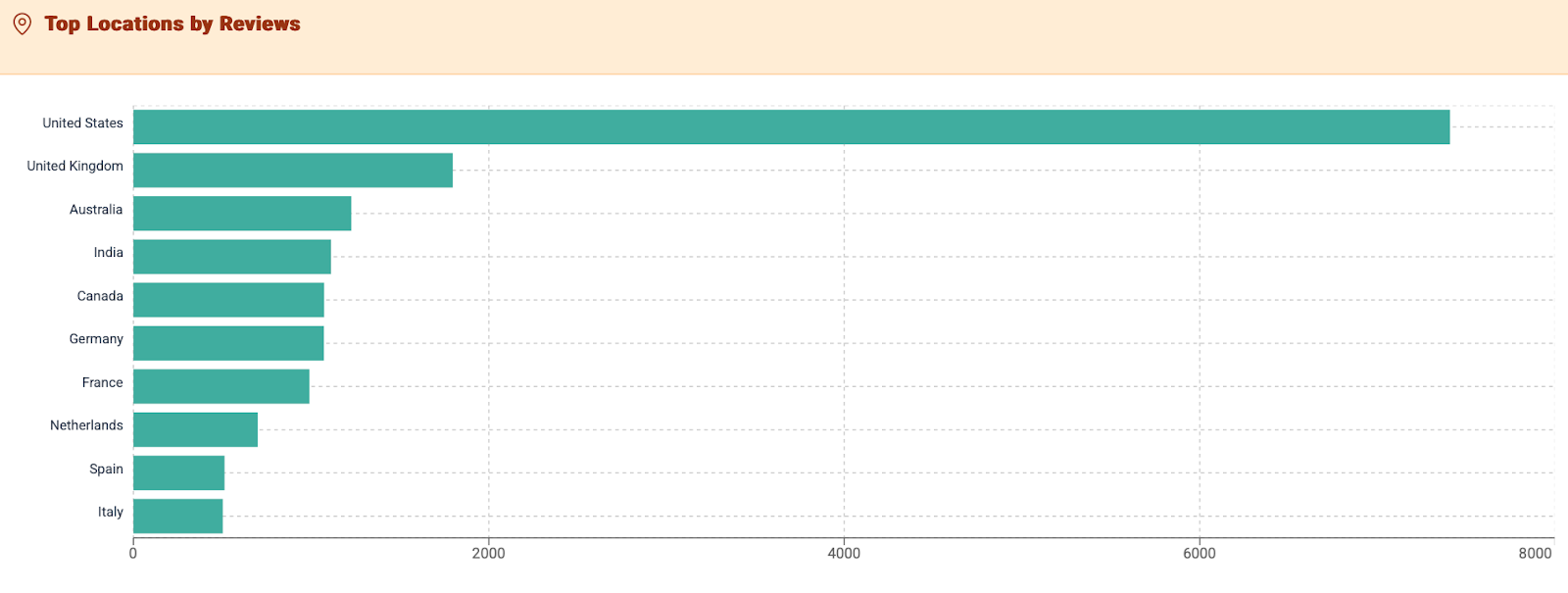
#### 4. Top Locations by Reviews
This chart displays the total number of reviews originating from different countries, allowing you to identify the most active and vocal user markets within the Shopify ecosystem.
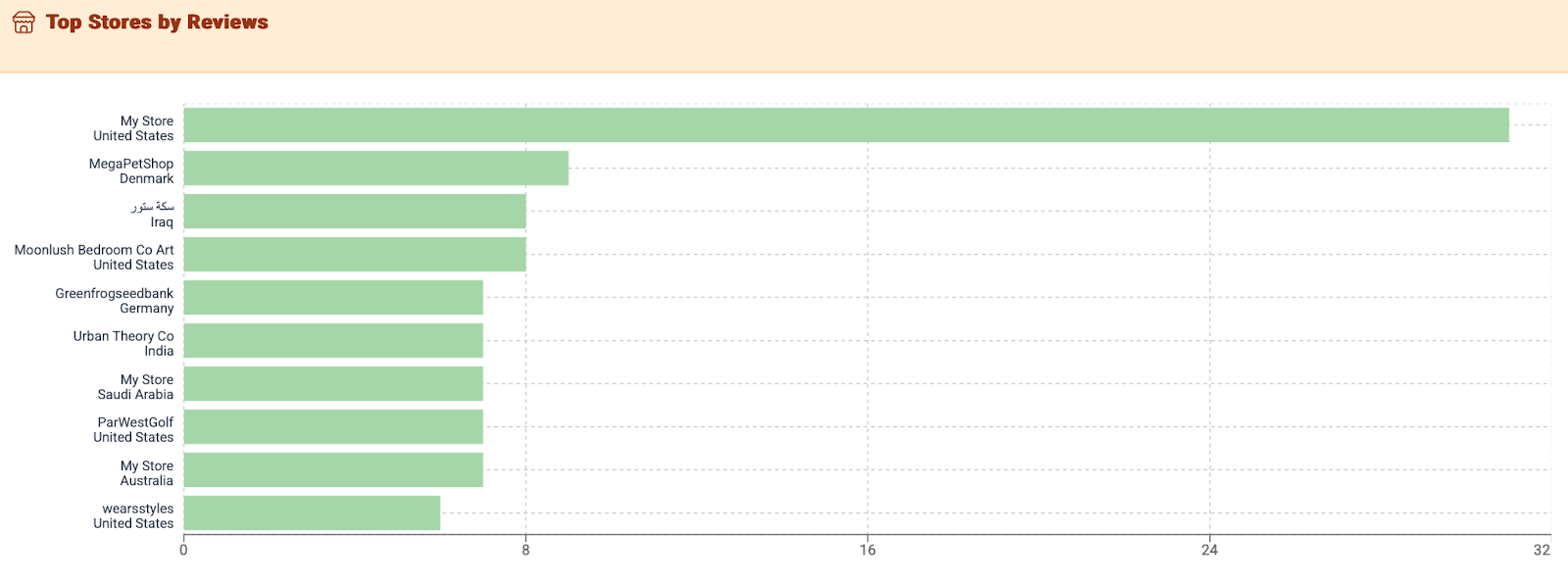
#### 5. Top Stores by Reviews
This table lists the specific stores that have left the most reviews across the App Store. It can help in identifying power users or merchants who are highly engaged in providing feedback.
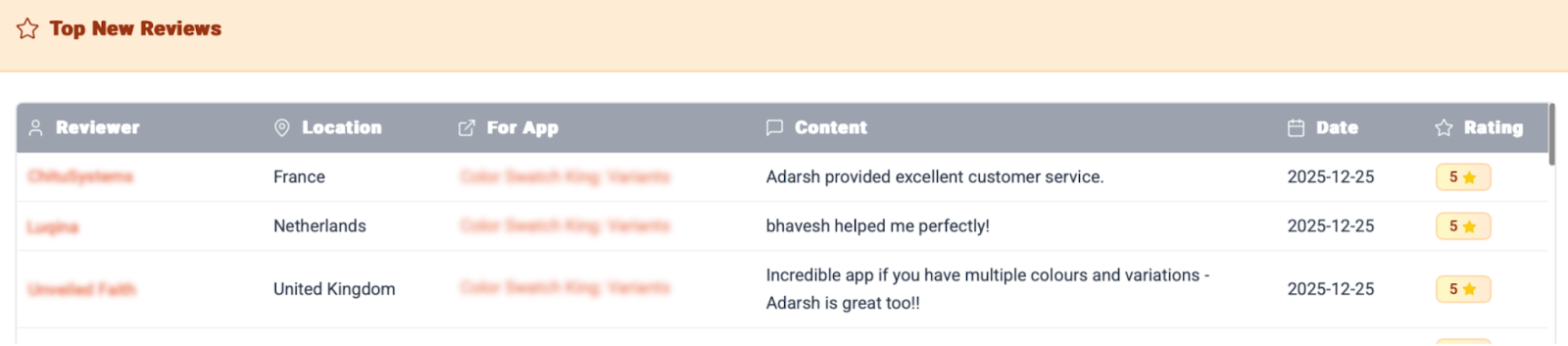
#### 6. Top New Reviews
This feed provides a real-time look at the most recent reviews being published on the App Store. It includes the reviewer, their location, the app being reviewed, the review content, and the rating.
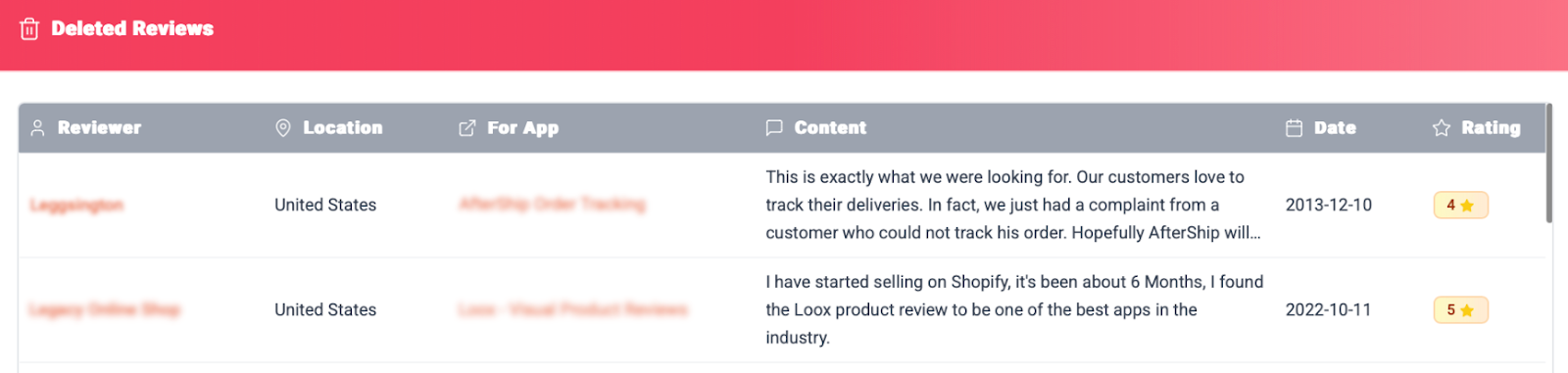
#### 7. Deleted Reviews
This feed shows reviews that have recently been removed from the App Store. Analyzing this can provide insights into resolved issues, or outdated feedback.
### How Review Dashboard can benefit you
* **Identify Macro-Level Trends:** By monitoring the overall volume and distribution of reviews, you can spot emerging trends across the entire Shopify App Store. This helps you understand the broader market context in which your app operates and anticipate shifts in user behavior.
* **Discover High-Engagement Niches:** Analyzing which app categories are receiving the most user feedback is invaluable for competitive analysis. It allows you to discover potential new opportunities, and understand where merchants are most actively voicing their needs.
* **Benchmark User Behavior:** The dashboard provides a baseline for typical user behavior across the ecosystem, from geographical distribution to engagement timelines. You can compare your own app's performance against these market averages to see if your patterns are normal or an outlier.
* **Access an Unfiltered Market Pulse:** The real-time feed of new and deleted reviews acts as a powerful social listening tool. It gives you raw, unfiltered insights into what real users are currently praising, needing, or complaining about across a wide range of apps, revealing the current pain points and desires of Shopify merchants.